Focus, one at a time
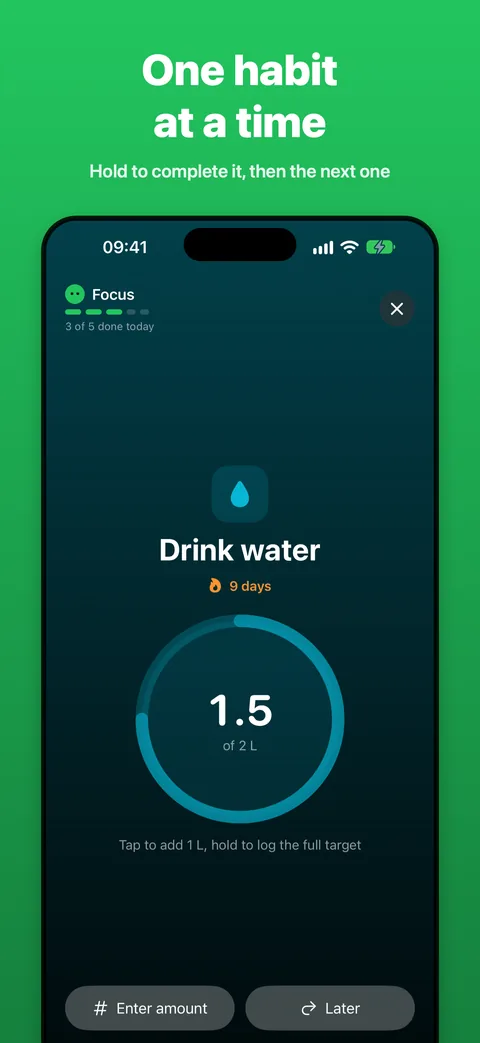
The next habit fills the screen. Hold the ring to complete it and the next one slides in. Tap Later to skip for now.
 MonoHabitBY APEX SOLUTIONS LAB
For iPhone · Android soon · no account
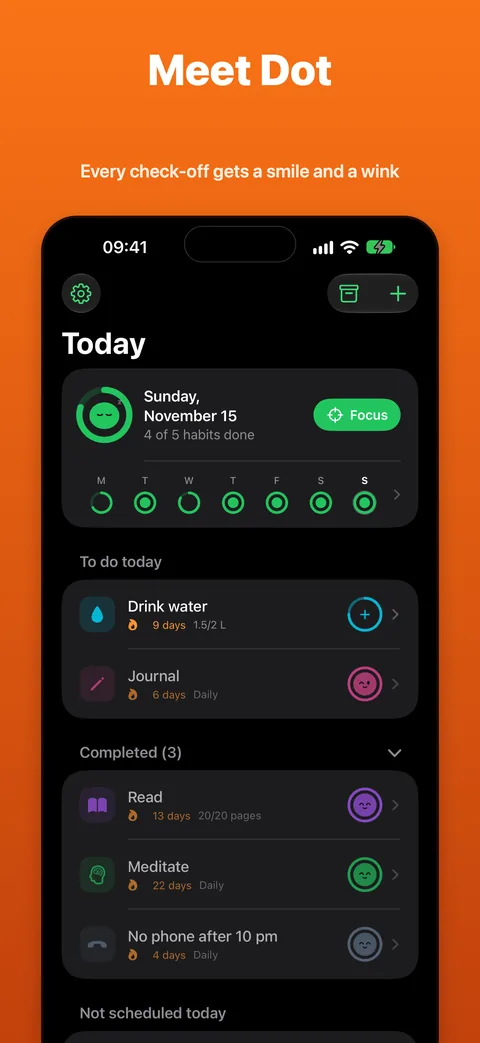
MonoHabit puts the next habit in front of you, not a wall of tasks. Check it off and Dot, your little companion, pops in with a wink. Finish the day and Dot throws a party.
Free for up to 3 habits.
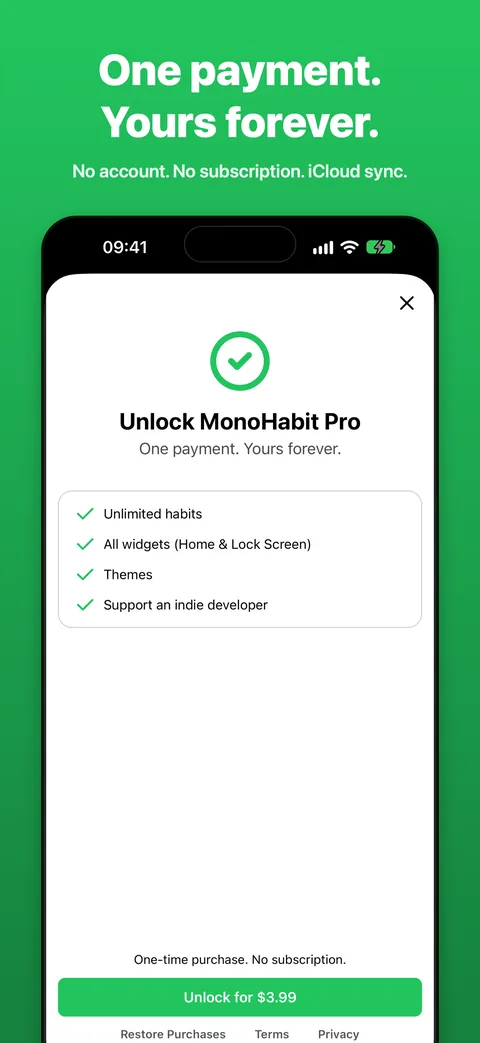
Pro is a one-time purchase, no subscription.
Thursday, Nov 19
To do today
Not scheduled today
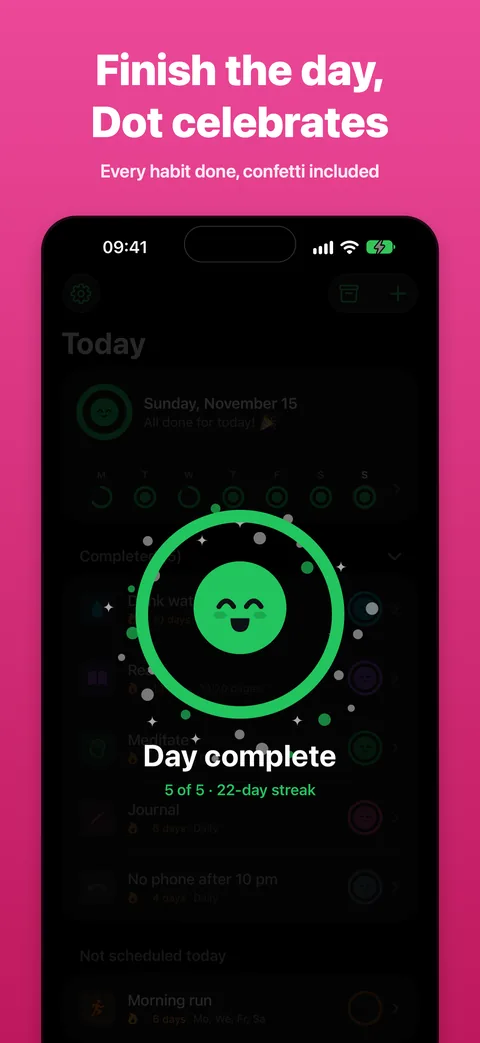
Day complete5 of 5 · 22-day streak
What it does
One habit on screen, one tap to finish it. The rest is there when you want to look back.
The next habit fills the screen. Hold the ring to complete it and the next one slides in. Tap Later to skip for now.
Check something off and a tiny Dot pops into the circle and winks. Finish the day and it jumps in a full ring, confetti included.
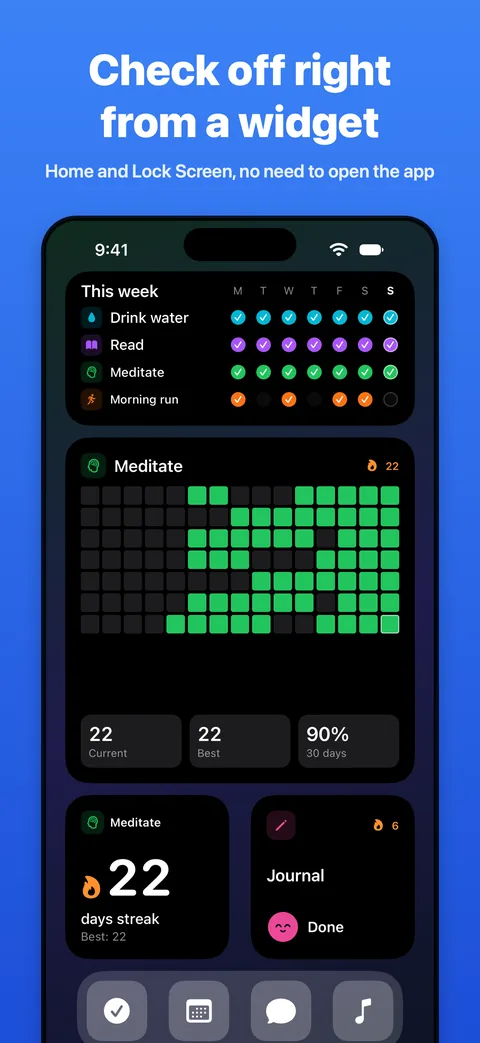
Eight interactive widgets for the Home Screen and Lock Screen. Complete habits without opening the app.
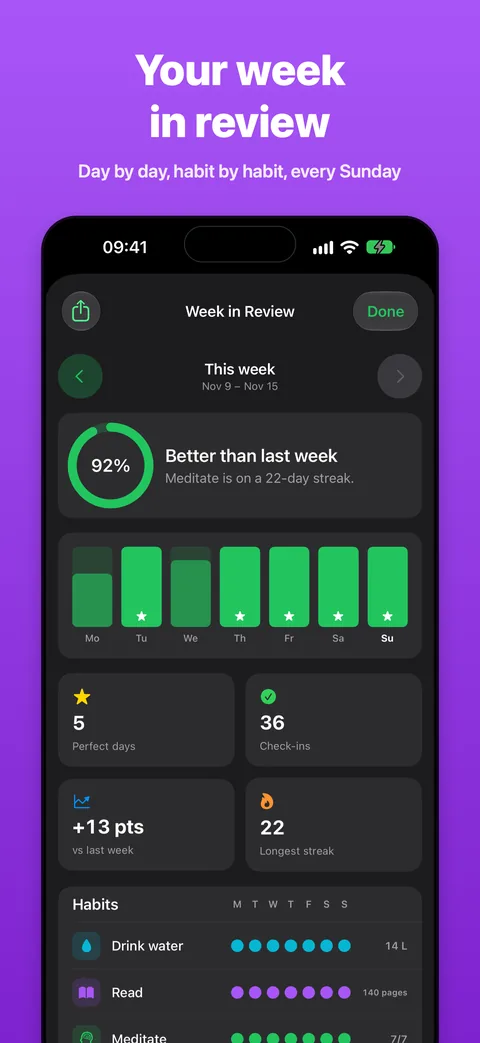
Every Sunday: day by day, habit by habit, perfect days and how you did against last week. Share it as an image.
"Complete Drink water in MonoHabit", "What's left in MonoHabit". Works with Spotlight and the Action Button too.
No account, no ads, no tracking. Your habits live on your iPhone and, if you want, in your own iCloud.
Waiting for your first check-off.
Meet Dot
Dot lives at the top of your Today screen. It blinks, looks around, smiles when you finish a habit, sleeps at night and stretches in the morning. Tap a mood to see it.
Dot takes your theme color
Inside the app
Pricing
Start free. If MonoHabit helps, unlock everything with a single purchase.
$0
Forever
$3.99
One payment, yours forever
No subscription, no ads. Price shown in your local currency in the App Store.
FAQ
No. MonoHabit has no sign-up, no email and no servers of its own. Open the app and add your first habit.
Dot is MonoHabit's own little mascot. It lives at the top of the Today screen, pops into the check button and winks when you complete a habit, and celebrates with confetti and a custom haptic when your whole day is done. It's green by default and takes on the color theme you pick in Settings.
Focus shows one habit at a time on the whole screen. Hold the ring to complete it, tap to log part of an amount (a glass of water, ten pages), or tap Later. The next habit slides in, and Dot tells you when that's everything for today.
On your iPhone. If you turn on iCloud Sync in Settings, your habits are also saved in your private iCloud database, so they're backed up and synced across your devices. That data is protected by your Apple ID and we can't see it. More in the Privacy Policy.
Yes, for up to 3 habits, with Focus, Dot, streaks, Week in Review and iCloud Sync included. MonoHabit Pro is a one-time purchase that unlocks unlimited habits, all widgets and color themes. The price is shown in your local currency in the App Store. No subscription, no ads.
Simple check-offs, like meditating or reading, and amounts with a daily target, like 2 L of water or 20 pages. Each habit can be daily, on specific days of the week, or a number of times per week or month.
Streaks follow the schedule you set. A habit planned for Monday, Wednesday and Friday doesn't break on Tuesday, and a "3 times per week" habit counts weeks where you hit the goal.
Eight interactive widgets for the Home Screen and Lock Screen: today's progress, your week, a heatmap, a streak counter and quick check-offs that work without opening the app. Done habits show a happy Dot. Widgets are part of MonoHabit Pro.
Yes. Try "Complete Drink water in MonoHabit", "What's left in MonoHabit" or "Start Focus in MonoHabit". The same actions are in Spotlight, Shortcuts and the Action Button.
Yes, if iCloud Sync is on: sign in with the same Apple ID and they appear on their own. Without iCloud Sync, they move with your iPhone backup.
Open Settings in MonoHabit and tap Restore purchases, signed in with the same Apple ID you used to buy Pro.
Coming soon to Google Play. For now, MonoHabit is available for iPhone with iOS 17 or later.
To hello@apex-solutions-lab.com, or from Settings → Support & Feedback in the app. We read everything.
Free on iPhone, soon on Android. Pro once, for life.